Azure Blob Storage to Snowflake with Mage Dynamic Blocks
TLDR
Read one CSV from Azure Blob Storage, split its rows into dynamic Mage work items, transform each chunk, and append the results to Snowflake. This walkthrough also makes two important boundaries explicit: readall() loads the complete blob before fan-out, and parallel exports do not guarantee row order without an explicit sequence column.

Moving one CSV from Azure Blob Storage to Snowflake sounds simple. The interesting part starts when the file is large enough that you want several transformations running independently, but you still need every row to arrive once and remain traceable.
This walkthrough revisits a Mage Pro proof of concept and narrows it to what the code actually demonstrates:
-
Load one CSV from Azure Blob Storage into a pandas dataframe.
-
Add a stable
_source_row_numberbefore splitting the dataframe. -
Yield 2,000-row work items from a dynamic parent block.
-
Transform and append each child result to Snowflake.
-
Reconstruct deterministic row order with
ORDER BY _source_row_numberwhen reading the table.
The two boundaries matter. The loader in this example calls Azure’s readall(), so the complete blob is downloaded before dynamic work begins. And Snowflake tables do not promise row order unless a query specifies it. Dynamic blocks organize the downstream work; they do not erase either constraint.
Pipeline overview
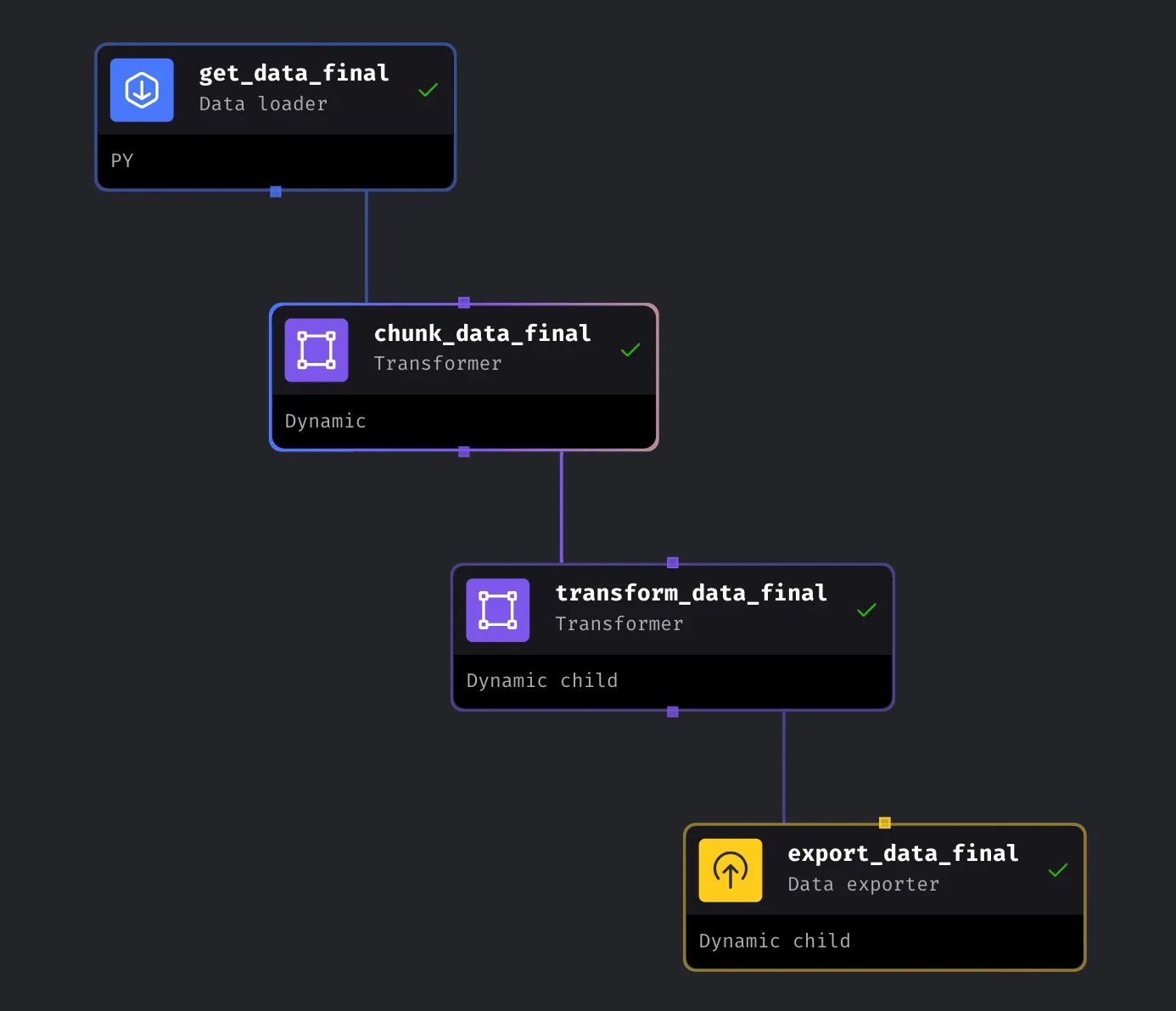
The pipeline has four jobs: read, split, transform, and export. The splitter is the dynamic parent. Every yielded dataframe creates a corresponding child run for each downstream dynamic child block.
That fan-out is useful when the number of work items depends on the input. It does not prove that a particular workload will run faster or use less memory. Concurrency still depends on executor capacity, and the first read in this example is still a whole-file read.
1. Load the CSV from Azure Blob Storage
Store the Azure connection string in Mage secrets, find the intended blob, and convert the CSV into a dataframe. The example below selects the most recently modified matching blob instead of assuming alphabetical filename order equals recency.
from io import StringIO

import pandas as pd
from azure.storage.blob import BlobServiceClient
from mage_ai.data_preparation.shared.secrets import get_secret_value

if 'data_loader' not in globals():
    from mage_ai.data_preparation.decorators import data_loader

@data_loader
def load_data(*args, **kwargs) -> pd.DataFrame:
    connection_string = get_secret_value('azure_connection_string')
    container_name = 'sftpcontainer'
    prefix = 'medical'

    service = BlobServiceClient.from_connection_string(connection_string)
    container = service.get_container_client(container_name)
    matches = list(container.list_blobs(name_starts_with=prefix))

    if not matches:
        raise FileNotFoundError(f'No blobs found for prefix: {prefix}')

    latest = max(matches, key=lambda blob: blob.last_modified)
    blob = container.get_blob_client(latest.name)
    csv_text = blob.download_blob().readall().decode('utf-8')
    dataframe = pd.read_csv(StringIO(csv_text))
    dataframe['_source_row_number'] = dataframe.index

    return dataframe
The connection string stays in Mage secrets instead of source code. The _source_row_number column becomes the ordering key after the chunks reach Snowflake.
Memory boundary: Azure documents
readall()as reading the entire blob. The SDK may use range requests internally, but this function still constructs the complete CSV string and dataframe before the next block runs. For files that do not fit comfortably, use a reader and file format designed for bounded input rather than assuming downstream fan-out fixes the first read.

2. Yield dynamic work items
Mark the splitter as a dynamic parent in Mage. With Dynamic Blocks v2, a generator can yield each chunk as it is produced, allowing eligible downstream dynamic child runs to begin as outputs become available.
import pandas as pd

if 'transformer' not in globals():
    from mage_ai.data_preparation.decorators import transformer

@transformer
def split_data_into_chunks(data: pd.DataFrame, *args, **kwargs):
    chunk_size = 2_000

    for start in range(0, len(data), chunk_size):
        yield data.iloc[start:start + chunk_size].copy()
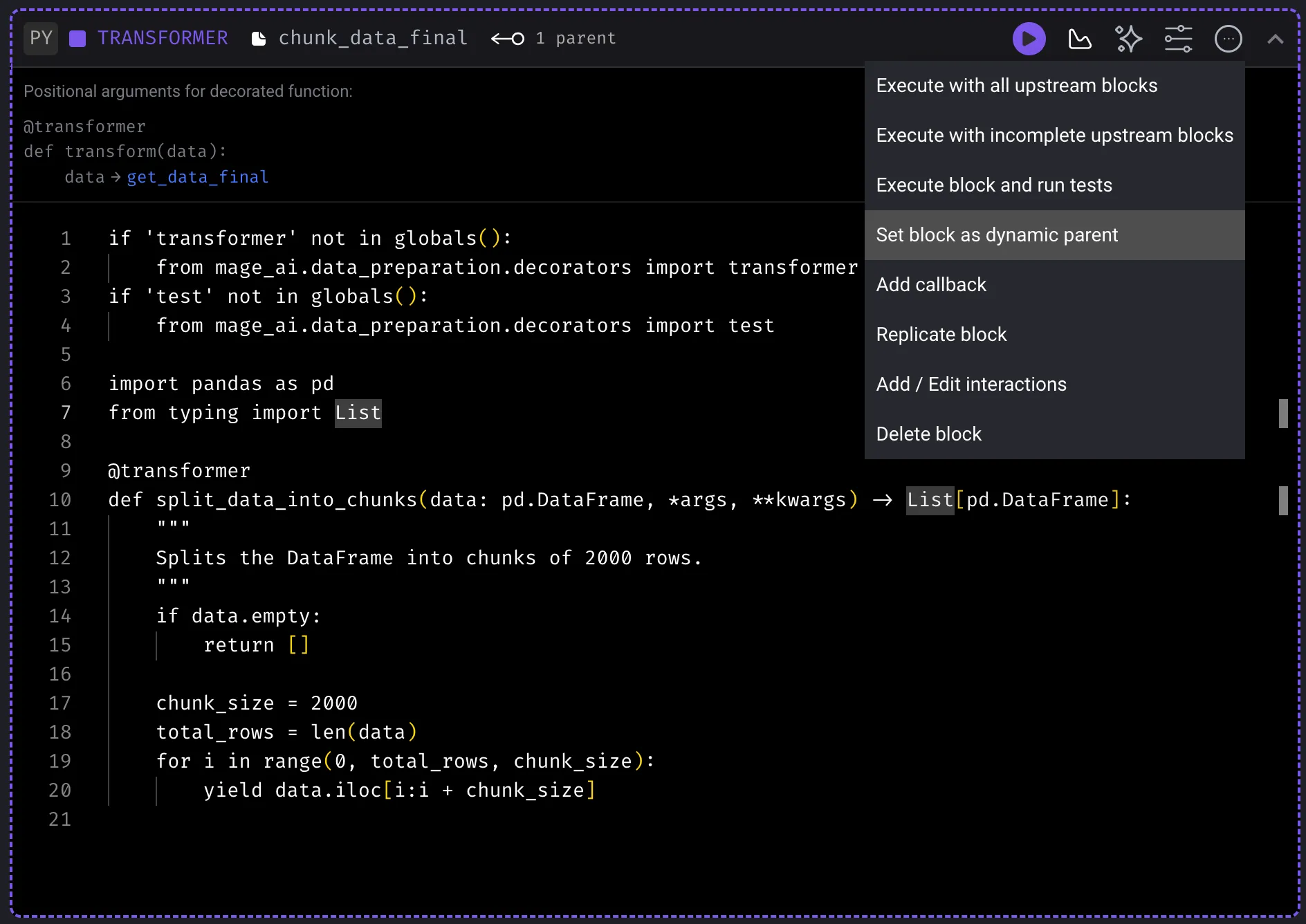
A 20,000-row dataframe yields ten work items. That establishes the number of generated child runs. It does not establish a universal speedup because execution still depends on dependencies and available resources.
3. Transform each chunk
Configure the transformer as a dynamic child of the splitter. Each generated run receives one dataframe chunk and adds a risk_category without mutating the upstream object.
import pandas as pd

if 'transformer' not in globals():
    from mage_ai.data_preparation.decorators import transformer

@transformer
def transform_data(chunk: pd.DataFrame, *args, **kwargs) -> pd.DataFrame:
    result = chunk.copy()
    score = pd.to_numeric(result['cardiac_risk_score'], errors='coerce')

    result['risk_category'] = 'No valid score'
    result.loc[score.lt(5), 'risk_category'] = 'High risk'
    result.loc[score.between(5, 7), 'risk_category'] = 'Medium risk'
    result.loc[score.gt(7), 'risk_category'] = 'Low risk'

    return result
The explicit conversion makes invalid or missing values visible instead of letting a truthy string such as nan slip through the branch logic. The source-row key stays attached to every transformed record.
4. Append each result to Snowflake
The original product screenshot uses if_exists='append', which is the appropriate starting point for per-chunk dynamic child exports. Do not use replace inside every child run. Mage’s Snowflake exporter implements replace by dropping the existing table before recreating it, so repeated children would overwrite the shared target instead of building one complete result.
from os import path

from mage_ai.io.config import ConfigFileLoader
from mage_ai.io.snowflake import Snowflake
from mage_ai.settings.repo import get_repo_path

if 'data_exporter' not in globals():
    from mage_ai.data_preparation.decorators import data_exporter

@data_exporter
def export_data_to_snowflake(data, *args, **kwargs):
    config_path = path.join(get_repo_path(), 'io_config.yaml')

    with Snowflake.with_config(ConfigFileLoader(config_path, 'default')) as loader:
        loader.export(
            data,
            table_name='MEDICAL',
            database='MAGE_PROJECTS',
            schema='TEST',
            if_exists='append',
        )
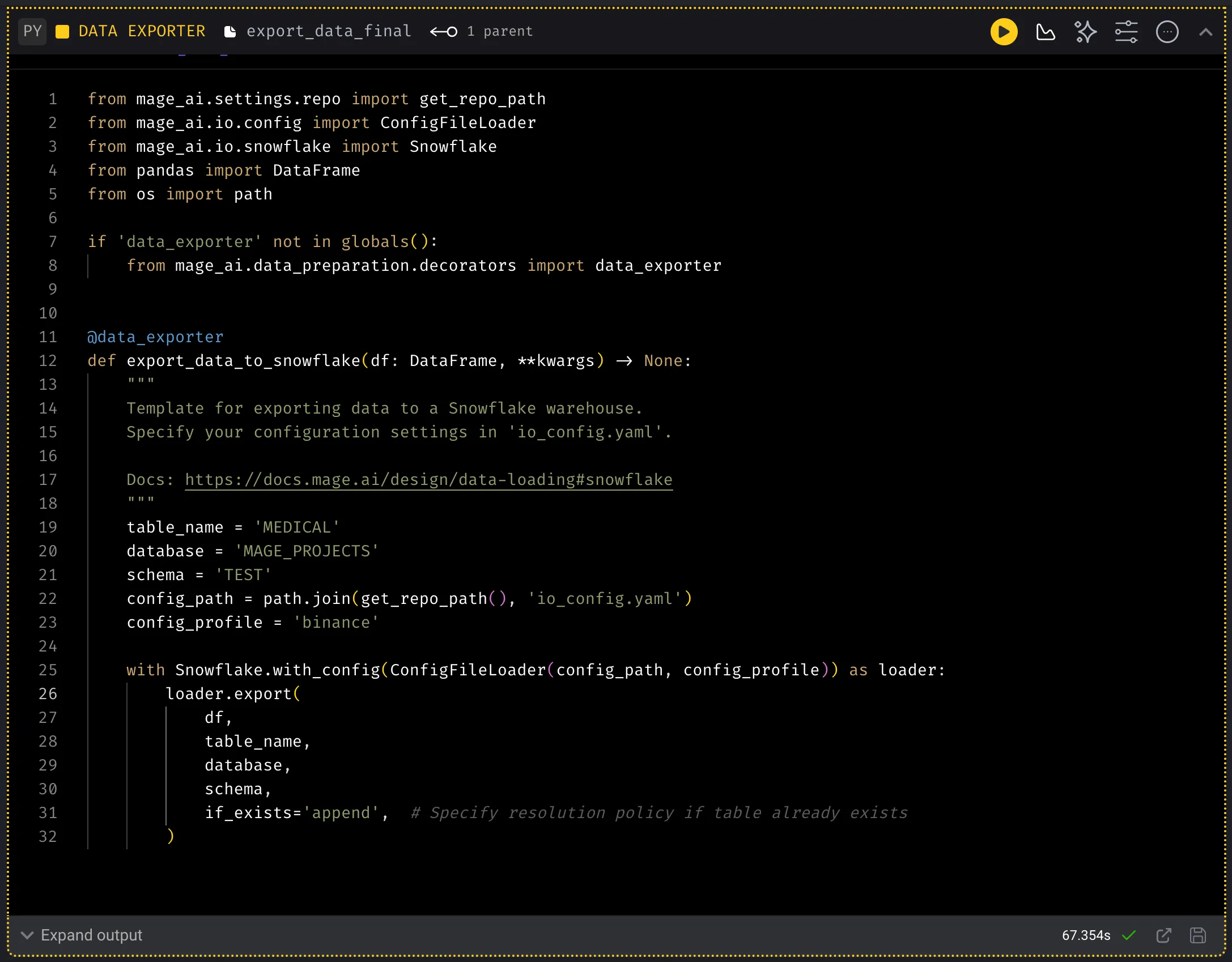
For a production pipeline, pre-create or initialize the destination table outside the dynamic children and define an idempotency strategy for retries. If downstream consumers need the original file sequence, query it explicitly:
SELECT *
FROM MAGE_PROJECTS.TEST.MEDICAL
ORDER BY _source_row_number;
That query states the ordering contract. Arrival order from concurrent child runs does not.
What this pattern proves
This example proves that one loaded dataframe can produce a variable number of downstream Mage runs and that each transformed result can be appended to Snowflake. It does not prove streaming ingestion, lower peak memory, faster execution, or implicit row ordering.
Use the in-memory path when the source comfortably fits and simplicity wins. When the first read is the bottleneck, move the boundary earlier with a reader and format that support bounded input. When the combined result is the bottleneck, inspect the collection or destination write strategy instead of adding more branches.


%2Fhero.png&w=3840&q=75&dpl=dpl_9obMNm7kUNSYLtDcEBNsiALvA5LW)