Pipeline run lineage: trace parent and child runs
TLDR
See the direct runs a workflow triggered, inspect their status, and follow the execution from parent to child.
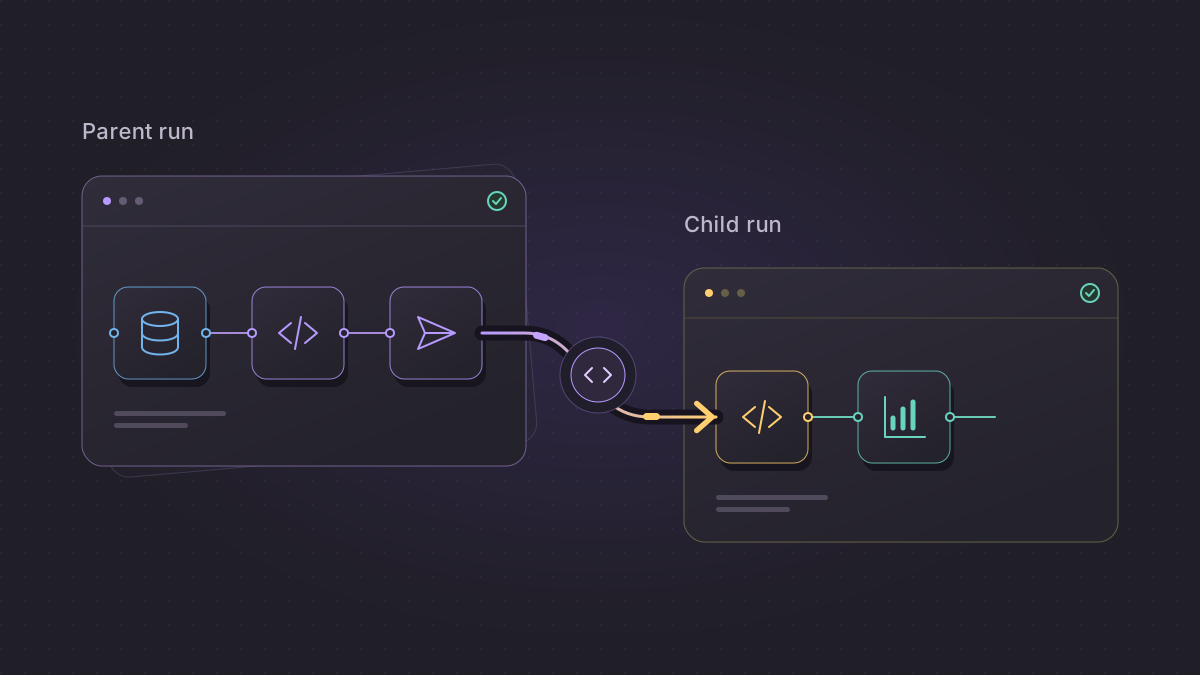
Follow the execution behind a workflow
A pipeline can finish its work and trigger another pipeline. When you investigate what happened, the relationship between those specific runs matters. Run lineage keeps that execution context beside the run you are already inspecting.
The walkthrough follows a completed earthquake ingestion run to its summary run, then checks the parent from the child. Both executions use real public USGS data.
Go from the parent run to the child
- Open an individual pipeline run.
- Expand the right-side inspector if it is collapsed, then select Run lineage beside Dependency tree.
- Review the recorded Upstream run or Downstream runs and the available run status.
- Open a related run to inspect its execution, logs, and block details.
The current run stays represented by the page you have open. The inspector adds the related executions, so you can follow the handoff without assembling it from separate logs.
See which work a run triggered
- Keep execution context together. Find a recorded parent or direct child while investigating an individual run.
- Check the related status. Inspect available details for runs you can view in the current workspace, then follow a run for more information.
- Navigate across a handoff. A related run link takes you to the execution that received the work, with access checked at its destination.
Understand what the relationship means
Run lineage shows direct, persisted runtime trigger relationships. It answers which run triggered another run. The pipeline dependency view answers a different question: how pipeline definitions depend on one another.
Relationships must have been recorded when the child run was created through a supported trigger path. Mage does not infer missing historical relationships or recursively expand every later descendant in this tab. If no relationship was recorded, the view reports that no upstream or downstream runs were recorded.
Visibility follows workspace permissions. Some relationships may appear only as aggregate hidden or unavailable counts; cross-workspace links carry a minimal reference rather than exposing the other run’s status or metadata.