Build, explore, and operate data workflows with AI Sidekick
TLDR
Turn plain-English requests into working pipelines, code changes, data previews, charts, and production actions without leaving Mage Pro.
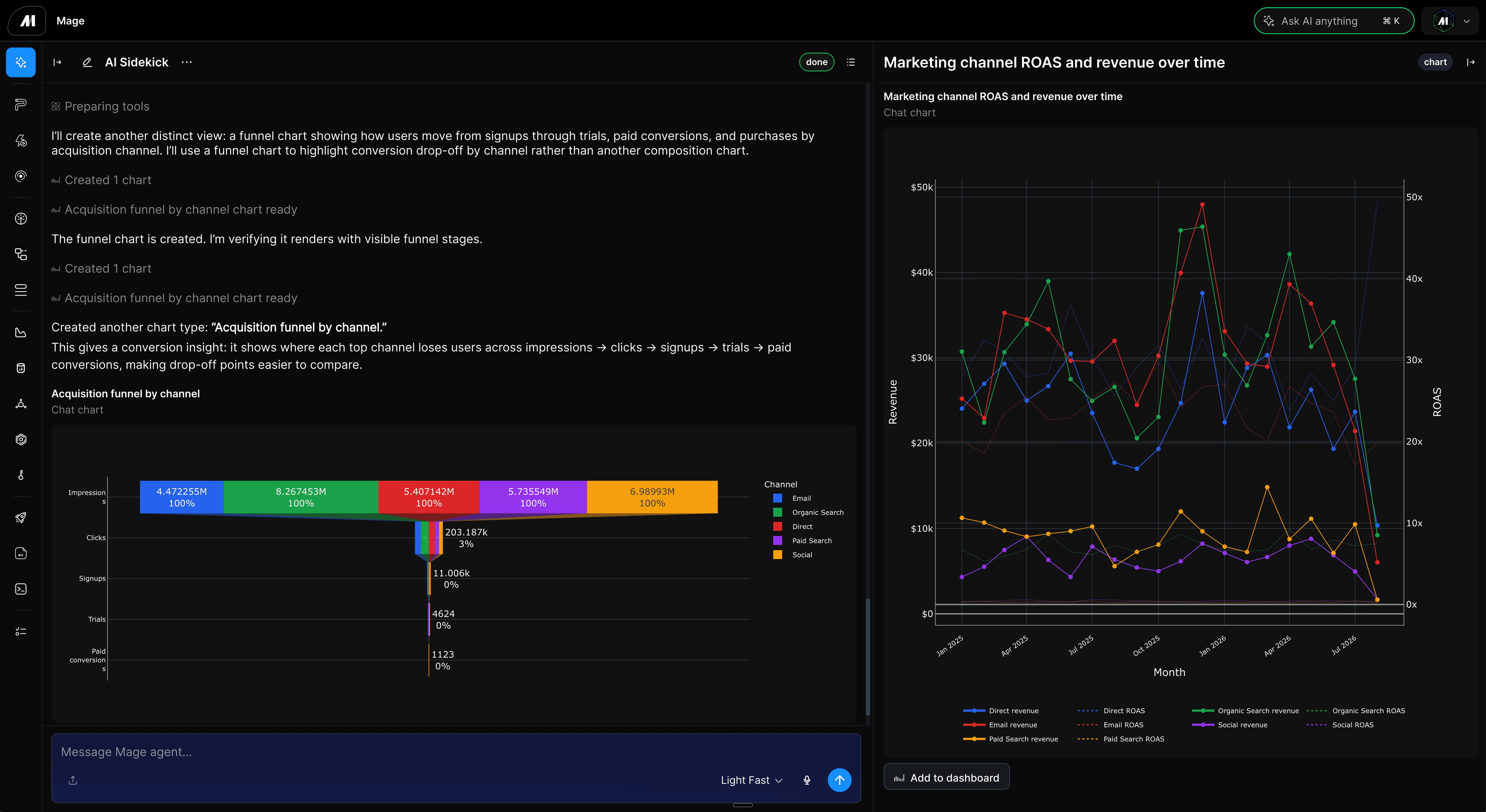
Start with the outcome you want
AI Sidekick understands the Mage page you are viewing, the pipeline you are working on, your data, code, runs, logs, project files, documentation, and chat history. Describe the outcome in plain English, then keep the work inside Mage Pro while Sidekick helps you build, explore, visualize, operate, or debug.
Build and change pipelines from a prompt
Describe the workflow you need and Sidekick can create the pipeline, choose block types, generate code, connect dependencies, and apply supporting configuration. It can also update existing blocks, refactor logic, and work with the active file or selected code instead of making you restate the project context.
- Create complete workflows. Go from a plain-English request to a pipeline with working blocks and dependencies.
- Generate and edit code in place. Create, explain, refactor, and repair Python, SQL, R, YAML, Markdown, dbt, and integration blocks.
- Use the page you are already on. Sidekick keeps the current pipeline, block, file, or selection in scope for the next request.
Explore data through conversation
Ask for the data you need and Sidekick can find authorized connections or pipeline outputs, inspect schemas, run read-only queries, and open an interactive preview in the conversation. Sort, filter, narrow, or compare the result with follow-up prompts while keeping the preview lineage intact.
Turn data into charts and dashboards
Sidekick can turn pipeline outputs, data previews, SQL results, and existing charts into Analytics assets. Ask for the comparison or story you need, then review the generated chart and add useful results to a dashboard without rebuilding the analysis in another tool.
Keep asking questions as the data changes
Follow a broad question with a filter, grouping, comparison, or another view. Sidekick keeps the active preview and prior result in context, so you can move from raw rows to a useful answer without starting the investigation over.
Debug and operate with the same context
When production work needs attention, Sidekick can inspect runs, block statuses, logs, outputs, and recent changes together. It can explain what happened, update the code that actually ran, and retry failed or incomplete work on the original run. The same assistant can also help with schedules, triggers, backfills, variables, notifications, permissions, deployments, and other operational tasks.
- Investigate without rebuilding the timeline. Start with the current run, failed block, logs, outputs, and editor state already in view.
- Make the change in the right place. Keep source-code, pipeline, dependency, and configuration updates scoped to the actual job.
- Continue without losing the thread. Transcript and session recovery preserve the conversation as you navigate or return later.
Bring the context Sidekick needs
Attach a file or browser-zipped folder, search Mage documentation, use permitted project knowledge, or keep working from the active page. Sidekick streams its progress, shows the tools it uses, and retains the final conversation so your team can review what happened and continue from the result.