How to migrate SAP Data Services reporting jobs with SQL and AI
TLDR
Keep the approved SAP extraction interface, rebuild the selected Data Services load, and verify reporting totals and delta handling before moving the schedule.
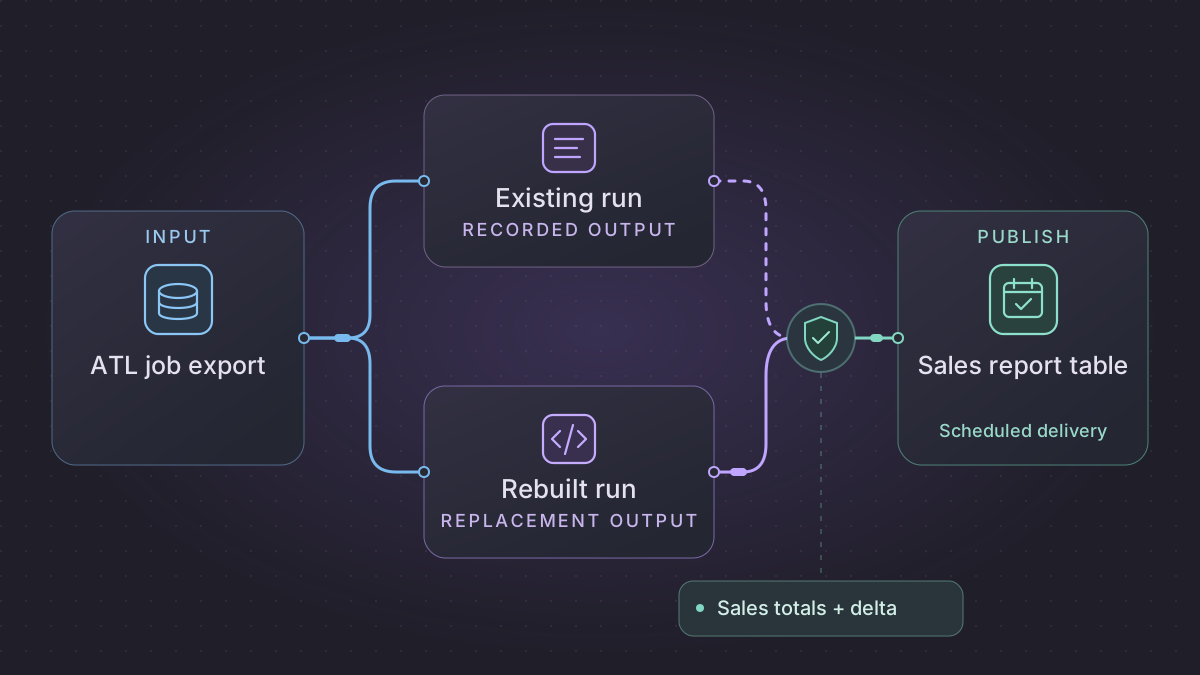
Migrate a SAP Data Services reporting job by keeping the SAP extraction contract stable and rebuilding the preparation and load for one report. Use the same extract and business date on both paths. Reconcile changed rows, cancellations, totals by currency, and the final report before transferring the schedule.
Does a missing customer in an SAP Data Services delta mean a delete?
A customer disappears from a SAP Data Services input. Check whether the deployed Table Comparison job received a certified complete snapshot with delete detection enabled, or an incremental extract with no explicit delete.
Recovery. Apply the approved close or tombstone rule for an explicit delete or a verified complete-snapshot absence under that contract. Keep the current row for an omitted delta record. Close and insert each changed history interval atomically and route late corrections through the agreed policy.
Cutover check. Compare old and new per-customer versions, effective start and end boundaries, current flags and delete disposition. The February fixture must leave three versions and two current rows; a delta omission must retain C101, and a retry after an interrupted close and insert must leave no gap or overlap.
Translate Table Comparison and History Preserving into explicit database changes
The sample inputs and expected results in this walkthrough are synthetic.
Start with a source snapshot and the corresponding target before and after a successful job. Export the batch flow and confirm the Table Comparison key, compare columns, sort order, input filter and Detect Deleted row(s) from comparison table setting. Trace the resulting operations through History Preserving, Map Operation and the target. SAP documents that delete detection can compare the complete source set with the target and that History Preserving can be configured to filter or retain deletes. A delta extract lacks the evidence needed for full-snapshot absence detection. SAP Table Comparison editor · SAP Slowly Changing Dimensions and Deletes
| Observe in Data Services | Model in the replacement | Acceptance rule |
|---|---|---|
| Source effective and extraction dates | customer_key, change_position, business_effective_at, extracted_at, input_manifest, operation | A late arrival retains its business effective date. Only explicit deletes or an approved complete snapshot support removal. |
| Compared attributes and operation | Canonical row hash over exactly the compared fields, and a separate reason for insert, update, unchanged or delete | A field excluded by the incumbent's compare settings cannot create a history version without owner approval. |
| History Preserving and key generation | natural_key, valid_from, valid_to, attrs, source_change_position plus persistent identity mapping for downstream fact joins | Half-open intervals do not overlap. A changed row closes the old version and opens the new version in the same transaction. |
| Target and restart behavior | batch_key, input_digest, applied_by_operation, checkpoint, target_receipt | After interruption, verify both version changes and the checkpoint before restarting. Reusing the digest produces the same target state. |
Use an isolated staging schema and a read-only reference copy. Capture the source snapshot/sequence before normalizing keys. In the warehouse transaction apply the requested operation, close or open history rows as documented, store exceptions and record the checkpoint. Downstream reports read only a completed batch. If the incumbent uses a business-day snapshot, schedule with the old business calendar and source-completion signal. Preserve the last SAP job execution ID and committed batch receipt before switching the report.
Verify history, explicit deletion and a late change
Seed C100 with East effective January 1. The February 1 input changes C100 to West and adds C101 North. Under a half-open history model expect three versions, C100 East closed on February 1 and two current rows. If the February 2 delta omits C101, North remains current. Add an explicit C101 delete on March 1 and verify the chosen closure/tombstone rule. Submit a late Jan 15 change and compare the approved correction or quarantine outcome, including any reports that already used the original interval. Kill the replacement between close and insert, rerun and verify no open-row gap and one receipt.
Inventory the job and its SAP boundary
Start with the selected batch job, work flows, data flows, scripts, and datastores in Designer. Capture the effective datastore configuration names, source objects, substitutions, job parameters, and schedule. SAP documents exporting repository objects to ATL or XML. A whole repository export can include Data Services job schedules. Collect only the artifacts needed for the selected load and inventory dependencies. An externally managed timer or extract feed should be documented separately. Exporting objects to a file · Repository export
Ask the SAP source owner to confirm which interface is approved, what proves the extract is complete, and how deltas and deletions arrive. Record the source sequence or boundary, how late corrections are represented, and whether business amounts use source or reporting currency. Capture a prior-period cancellation and a successful morning run. A downstream rewrite should preserve the approved source semantics and keep the SAP interface owner responsible for access.
Build and compare the report load
- Stage the approved extract in a new table. Save the extract ID, source sequence, count, and business date. Reject a file with an unexpected schema or an incomplete manifest.
- Implement the approved joins, amount precision, and cancellation treatment in SQL. Keep the source business key and change version on every staged row. Preserve deletes or cancellations according to the report contract.
- Write to a shadow target first. Use transactions and a unique batch ID to make repeat execution safe. Advance the recorded extract position only after the staged data, target change, and reconciliation checks commit.
Implementation runbook
Export the repository design and scheduler entry independently
In SAP Data Services Designer, right-click the batch job in the object library and choose Export. Add dependent workflows, data flows, datastores, functions and transforms in the export editor. Right-click the editor and choose Export to ATL file for the native archive or Export to XML file for inspection. Save the result in restricted storage. Inspect the flow and gather query transforms, table comparison settings, Map Operation, history-preserving behavior, source/target definitions, real datastore configurations and scripts. Record global/substitution variable names and owning sources, custom functions and ABAP/RFC dependencies. SAP Designer object export
In Management Console Administrator find the batch job under the relevant repository and use Export Execution Command for an existing third-party schedule. Keep the Windows .bat or Unix .sh in restricted storage because the launch command may expose values. Capture Job Server, scheduler date/time zone, effective parameters, execution history and recovery flags. SAP's generated launcher uses AL_RWJobLauncher; Unix/Linux deployments can need to source the Data Services environment before running the command. Test recovery in isolation and record what completed versus what is rerun when you select Recover from last failed execution. SAP job launcher · SAP recovery mode
Variant for jobs that maintain a change-aware dimension
Pin source snapshot time and business effective time separately. Stage canonical natural keys and values with a stable change position and source primary key. Translate each Table Comparison output into an explicit disposition (insert, update, unchanged, delete or reject) and cross-check Map Operation before assuming what writes. For history-preserving updates keep one current dimension version per natural key and half-open effective intervals. For a changed version, in one transaction close the active row at effective time and create the next version, then record the batch and cursor. Use a uniqueness constraint on natural key plus version/effective time and assert no overlap. A missing key in an incremental feed is not evidence of deletion. Reconcile counts by disposition, target columns and active/closed intervals. Confirm the old implementation's sort order and out-of-order policy before reprocessing history.
Concrete fixture. Customer C100 starts with region East at 2026-01-01. A 2026-02-01 event changes the region to West; C101 is added in North. Replaying the February file should leave three dimension rows, two current rows and one closed East interval ending exactly at the start of West. Inject a crash between close and insert and verify transaction rollback leaves East current and C101 absent. Retry and verify the complete expected dimension. Submit a late Jan 15 version after February publication and test the explicit late-change correction or quarantine path. At cutover advance a single owned cursor only after reconciliation, and store the last successful legacy job/run and successor batch as paired rollback evidence.
Run a local failure and recovery fixture
This example uses Python 3 and its standard library to exercise a dimension change, an explicit deletion, and an aborted run. It uses synthetic data and does not call the incumbent service.
"""Python 3. Run with python3 sap_data_services_scd.py."""
import sqlite3

db = sqlite3.connect(":memory:")
db.executescript("""
CREATE TABLE customer_dim (
    customer_id TEXT NOT NULL, region TEXT NOT NULL,
    effective_from TEXT NOT NULL, effective_until TEXT,
    PRIMARY KEY (customer_id, effective_from),
    CHECK (effective_until IS NULL OR effective_from < effective_until)
);
CREATE UNIQUE INDEX customer_current
ON customer_dim(customer_id) WHERE effective_until IS NULL;
CREATE TABLE committed_batch (batch_id TEXT PRIMARY KEY);
INSERT INTO customer_dim VALUES ('C100', 'East', '2026-01-01', NULL);
""")

def apply(batch_id, changes, stop_after_close=False):
    db.execute("BEGIN IMMEDIATE")
    with db:
        if db.execute("SELECT 1 FROM committed_batch WHERE batch_id = ?", (batch_id,)).fetchone():
            return
        for customer, region, effective in changes:
            current = db.execute("""
                SELECT region, effective_from FROM customer_dim
                WHERE customer_id = ? AND effective_until IS NULL
            """, (customer,)).fetchone()
            if current and effective <= current[1]:
                raise ValueError("Late correction requires interval review")
            if current and current[0] == region:
                continue
            if current:
                db.execute("""
                    UPDATE customer_dim SET effective_until = ?
                    WHERE customer_id = ? AND effective_until IS NULL
                """, (effective, customer))
                if stop_after_close:
                    raise RuntimeError("Simulated loss after close")
            db.execute(
                "INSERT INTO customer_dim VALUES (?, ?, ?, NULL)",
                (customer, region, effective),
            )
        db.execute("INSERT INTO committed_batch VALUES (?)", (batch_id,))

february = [("C100", "West", "2026-02-01"), ("C101", "North", "2026-02-01")]
try:
    apply("february", february, stop_after_close=True)
except RuntimeError as error:
    assert str(error) == "Simulated loss after close"
else:
    raise AssertionError("The failure should roll back")
assert db.execute("SELECT * FROM customer_dim").fetchall() == [
    ("C100", "East", "2026-01-01", None)
]

apply("february", february)
apply("february", february)
assert db.execute("SELECT * FROM customer_dim ORDER BY customer_id, effective_from").fetchall() == [
    ("C100", "East", "2026-01-01", "2026-02-01"),
    ("C100", "West", "2026-02-01", None),
    ("C101", "North", "2026-02-01", None),
]
try:
    apply("late-january", [("C100", "Central", "2026-01-15")])
except ValueError as error:
    assert str(error) == "Late correction requires interval review"
else:
    raise AssertionError("A late version should go to correction review")
print("3 versions, 2 current rows, 1 closed interval")
Prove deltas with a small fixture
Load order line O7/1 for EUR 100 and line O8/1 for EUR 40. Next send a change to O7/1 for EUR 110 and a cancellation for O8/1. Under a fixture rule that excludes cancelled lines, the final report has one active line totaling EUR 110. Replay the second extract and assert no change. Add a USD line and compare currency groups separately. Test a late change arriving before and after the reporting cutoff so the team can agree how it lands.
Prompts you can copy
From the redacted Data Services job export and sample logs, list referenced data flows, datastore configuration names, source assumptions, and how the current job handles late deltas and cancellations. Mark rules that require SAP owner confirmation.
Draft a SQL staging and merge plan with fixed-precision money, extract sequence checks, and cancellation fixtures. Include a shadow report comparison grouped by date and currency. Use only the example tables.
Schedule the handoff
Trigger the report after extract completion and lock by feed and date. Retry a connection failure within an agreed window. Hold the load for a sequence gap or reconciliation mismatch and alert the source owner. Compare parallel runs for ordinary, changed, and missing extracts. At cutover, stop the old reporting publisher, record its last accepted source position, and enable the new one at the agreed boundary. Keep the old load available for a rollback from that recorded position.
Need help with the migration?
Explore SAP Data Services migration services or browse all DIY migration guides.