How to automate budgeting and forecasting for a benefits captive manager
TLDR
Refresh corporate actuals and approved employer, staffing, and cost assumptions in a traceable operating forecast.


Refresh the captive manager's operating forecast by combining closed corporate ledger actuals with approved drivers for employer starts, renewals, exits, service fees, staffing, and overhead. Keep those corporate economics separate from employer claims, stop-loss premiums, and captive funds.
Decide whose forecast you are producing
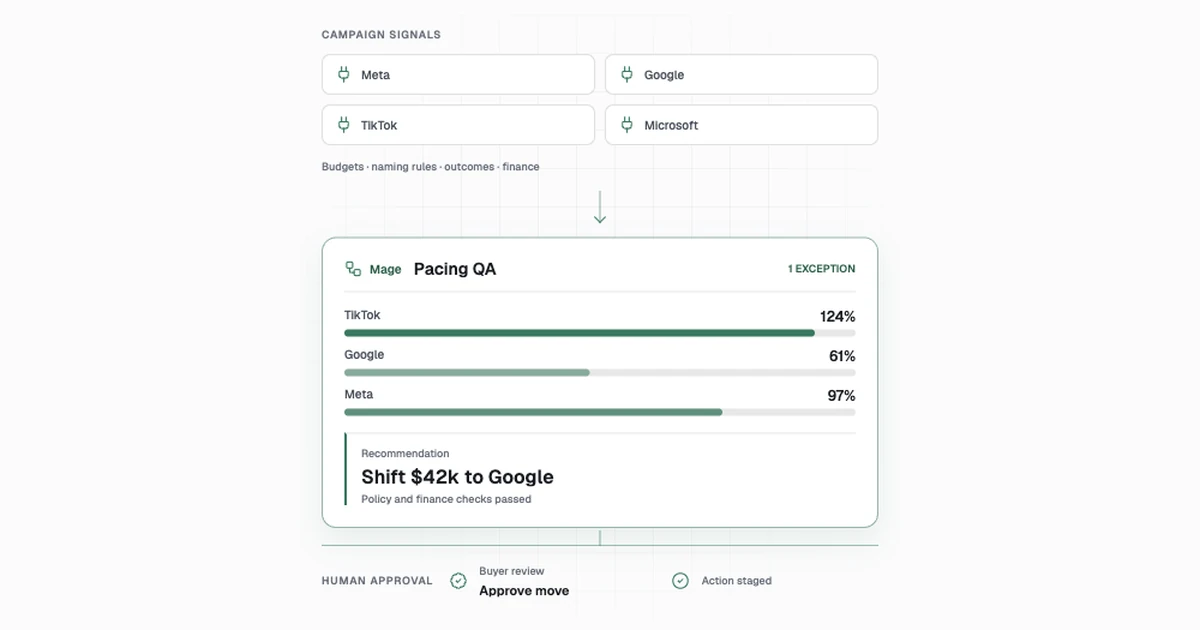
Start with the manager's corporate P&L, the approved chart of accounts, and the employer and cohort rules. Define who receives each fee, which entities carry each cost, and when the change reaches the forecast. A corporate planning model measures what the manager earns and spends. An employer's health plan forecast answers a different financial question. Oracle documents driver-based financial and workforce planning, and Mage's captive manager solution describes its corporate model and the employer-cohort assumptions that feed it. Oracle driver-based planning · Mage captive manager budgeting
Refresh the operating plan one period at a time
| Step | What the team does today | How to automate it | Accepted result |
|---|---|---|---|
| Freeze corporate actuals | The controller confirms that the ledger close is final, then FP&A exports the relevant accounts. | Ingest the accepted trial balance and mapping revision, validate entity and period, and reject unclosed or changed snapshots. | Reconciled corporate actuals, ready for planning. |
| Align employer cohorts | Program operations reconciles employer IDs, new contracts, renewals, and exit dates. | Join CRM and signed terms to effective-dated employer and cohort records. Hold unresolved group IDs and overlapping effective dates. | Approved group and fee roster for each forecast period. |
| Apply operating drivers | FP&A forecasts recurring fees and uses account assumptions to plan staffing and overhead. | Calculate signed contractual fees separately from forecast assumptions. Apply headcount start dates, loaded rates, and department plans with versioned formulas. | Draft forecast with one driver per material movement. |
| Explain the variance | Analysts compare actuals, budget, and previous forecast and ask owners about changes. | Calculate bridges on the same basis. AI can summarize large movements from cited rows and approved commentary. | Variance pack with identified causes and unresolved questions. |
| Approve and release | Finance leadership reviews the scenarios and signs off on a specific revision. | Lock the approved input and output versions, publish the review pack, and route exceptions to the finance or program owner. | A forecast users can reproduce from its original inputs. |
What to automate
Freeze corporate actuals
After close approval, ingest the corporate trial balance and the approved chart mapping for the entity and period. Check that accounts and amounts reconcile with the accepted ledger control and store the exact snapshot and mapping versions. If a close is reopened or an account is unmapped, route the issue to the controller and hold the forecast refresh for that period.
Align employer cohorts
Join the employer roster to signed fee terms and effective-dated start, renewal and exit records. Record the contract reference and effective period for each group. Give program operations a queue for conflicting IDs and dates or unsigned terms. Track proposed groups separately as scenario assumptions until an owner approves the effective terms.
Apply operating drivers
Model management fees from signed terms and separately track forecast-only assumptions. In code, apply effective start, change and exit dates, approved staffing starts, loaded rates and departmental cost plans. Store the calculation version and link every material change to a driver and owner. Keep employer plan and captive fund activity in its own reporting scope.
Explain the variance
Build a bridge on the same corporate basis across actuals, budget and the prior forecast. Identify approved timing, rate, volume and cost changes with row references. Give AI the computed bridge and approved commentary to draft an explanation. An FP&A reviewer checks material differences and sends unanswered driver questions to program or department owners.
Approve and release
Package the baseline, scenarios, input versions, unresolved questions and checks for finance leadership. Approve a named revision before publishing. Preserve the forecast and driver snapshots so the next month can compare against that revision. Route an approved correction through a new version with its reason and sign-off.
Test employer starts, renewals, and exits
In a synthetic corporate forecast, recurring management fees begin at $100,000 a month. A new group contributes $12,000, an approved renewal adds $3,000, and an exit removes $5,000, for $110,000 in forecast revenue. Approved operating costs are $75,000, leaving $35,000 of modeled operating profit. If the new group's signed effective date moves to the following month, current-month revenue should fall to $98,000. Confirm no employer claim payments enter corporate revenue, and check that replaying the same ledger and contract snapshots leaves the published forecast unchanged. Track close-to-forecast time, unmapped groups, and actual-to-forecast variance by driver.
Implement the captive manager’s operating model
Use signed corporate actuals at entity × fiscal_period × account, an approved contract schedule at employer_group × contract_version × effective_month, and staffed roles by department and effective month. The model forecasts management fees, staff costs and the manager’s other operating expenses. Employer plan claims, reserves and contributions belong to separately controlled reporting.
- Freeze the signed general ledger and reconcile corporate revenue and expenses to the close control totals. Map the chart of accounts with effective dates and leave unknown accounts unallocated until Finance approves the mapping.
- Build one forecast row per employer cohort and month. Join signed starts, renewals, exits and management-fee changes using contract effective dates. Store prior and new contract versions, fee basis, and source approval. Put unsigned or contradictory changes in a separate scenario.
- Apply approved hiring dates, loaded pay, shared service rules and operating expense drivers. Calculate each cost once. Bridge the result to the prior plan with separate volume, renewal, timing, hiring and other cost changes.
- Publish only the signed forecast version with the ledger manifest, contract versions and exceptions. Replay a start delayed one period and verify its revenue moves to the new month while the original forecast remains reproducible.
def operating_forecast(base_fees, starting_fees, renewals, exits, operating_cost):
    revenue = base_fees + starting_fees + renewals - exits
    return revenue, revenue - operating_cost

assert operating_forecast(100_000, 12_000, 3_000, 5_000, 75_000) == (110_000, 35_000)
assert operating_forecast(100_000, 0, 3_000, 5_000, 75_000) == (98_000, 23_000)
This fixture uses whole synthetic dollars. Include tests for the same contract received twice and a renewal arriving after the forecast cutoff. The release keeps its original inputs until Finance approves a restatement.
Implement the work step by step
The head of fp&a decides whether the manager can refresh an operating plan when employers start, renew, or exit and explain the staffing and cost impact. The workflow starts after accepted close or an approved reforecast trigger. Ends with signed corporate forecast and variance pack. Employer plan claims, captive funds and actuarial reserves are separate.
Freeze and map inputs
- Validate corporate close inputs. Require approved close status and ledger checksum. Validate owner and accounting period. Read Approved GL close, trial balance, account and entity map. Record Locked corporate actuals to FP&A. Owner Controller. Confirm reopening and authorized scope. Check Employer or captive bank/claims lines excluded from corporate actuals.
- Reconcile employer and cohort records. Join approved employer crosswalk and flag overlap, missing ID or duplicate contract. AI can suggest candidate aliases from approved business records. Read Employer CRM, contract register, renewal calendar. Record One effective cohort and plan record to forecast. Owner Program ops. Resolve group and term exceptions. Check No double-count of starts, renewals and exits.
Apply drivers
- Model revenue change by employer cohort. Apply signed fees by effective date and separate estimated drivers. AI can draft reason summaries from annotated assumptions. Read Fee schedule, cohort roster and approved assumptions. Record Corporate revenue bridge to reviewer. Owner FP&A analyst. Approve future volume and timing overrides. Check No mixing of employer claims or captive premiums with manager fee revenue.
- Model staffing and other operating expenses. Calculate FTE and nonpersonnel drivers in versioned formulas. AI can summarize aggregate proposed changes. Read Headcount plan, department costs and loaded rates. Record Staffing and operating cost forecast to department owners. Owner FP&A analyst. Department owners approve staffing plans and exceptions. Check Validate month, entity and department. No leaked payroll detail.
- Resolve unmapped or overlapping contract. Open one case keyed by group/term/date and enforce lineage on repair. AI can summarize sanitized terms for reviewer. Read Exception ledger and contract evidence. Record Disposition and revised approved mapping. Owner Program ops. Approve unresolved contract interpretation. Check Document coverage impact on forecast during hold.
Reconcile and publish
- Produce actual-budget and forecast bridge. Compare same-basis figures and retain exact values and calculation paths. AI can draft evidence-backed aggregate commentary. Read Actuals, prior forecast and revised drivers. Record Reviewed variance report to Finance leadership. Owner FP&A analyst. Confirm interpretation of material variance. Check Bridge components sum to reported delta.
- Approve and release forecast. Freeze input/assumption versions and verify controlled delivery receipt. Read Versioned review pack and governance log. Record Accepted version and owned next actions. Owner Head of FP&A. Approves selected scenario and funding decisions. Check No revisions applied to approved historical versions.
Parallel run. Pilot one close and at least two mid-cycle revisions. Test overlapping employer terms, delayed start and duplicate ledger file. Require actuals tie and approved assumptions.
Build it yourself with AI
Start with a fictional trial_balance.csv, employer_roster.csv, drivers.csv and planning_policy.md. Give the assistant the corporate reporting basis and a simple monthly fee example. Ask for a local forecast that produces scenario outputs, a variance bridge and a list of open approvals.
-
Specify inputs and ownership
Read the planning policy. Draft a data contract for closed actuals, group terms, forecast assumptions and cost drivers. Identify the effective dates, scope, sign and review owner for each input. Separate approved corporate terms and scenario assumptions in the output.
-
Implement and test a period
Write a Python forecast using decimal amounts. Start from monthly fees of 100000, add a 12000 start and 3000 renewal, and subtract a 5000 exit. Expect revenue of 110000 and operating profit of 35000 with 75000 of costs. Move the new start to the next month and expect current-month revenue of 98000. Add a fixture with a plan claim and assert it is held outside the corporate forecast.
-
Draft the leadership review
Given the computed variance bridge, draft notes grouped by revenue and cost driver. Cite source row IDs, identify unsupported explanations for review and list approvals still needed to publish the revision.
Have the controller reconcile the corporate inputs and program operations review contract dates. Repeat with the same inputs and compare the outputs. Run alongside the next planning cycle and release the exact version approved by finance leadership.
Need help automating this?
See how Mage connects closed actuals and employer changes to a reviewed operating forecast for the captive manager. See Mage's captive manager budgeting and forecasting solution.