We handle the implementation
We review the load and its cross-system dependencies, then build the selected replacement workflow.
We need one reporting dataset that agrees with each source application. Our ODI Enterprise Edition load spans several teams, and specialists are tied up. Can you coordinate the move, check the results, and keep the wider Oracle setup in place?
Mage
Yes. We’ll handle the selected rebuild, check the reporting dataset, and take on ongoing operation within agreed limits.
Start with one load. We’ll work out the plan with you.
Overview
Get the reporting dataset your team needs without another internal ODI Enterprise Edition rebuild.
We review the load and its cross-system dependencies, then build the selected replacement workflow.
We maintain the agreed reporting dataset workflow and route exceptions to the people who can decide.
Check the reporting dataset, get answers, and make charts with access you control.
Your reporting dataset draws on several applications through ODI Enterprise Edition. We follow the mappings, source approvals, and load order, then take on the selected rebuild and the checks each owner needs.
Follow the cross-system dependencies. Map the source applications, ODI mappings, and load order behind the reporting dataset.
Agree what moves and stays. Scope the selected load, database rules, and access approvals. Identify Oracle services and other loads that stay in place.
| Field | ODI EE | Mage |
|---|---|---|
| Sources | Ready | Ready |
| Matches | 41 | 41 |
| Exceptions | 2 | 2 |
Check each owner’s result. Reconcile source totals, cross-system matches, and target data within the required load window.
Coordinate the switch. Confirm approvals and recovery ownership before the new load takes over. Your specialists stay focused on the wider environment.
Map one workflow, rebuild it with help from an AI assistant, and check the output before you switch.
Learn to migrate ODI Enterprise Edition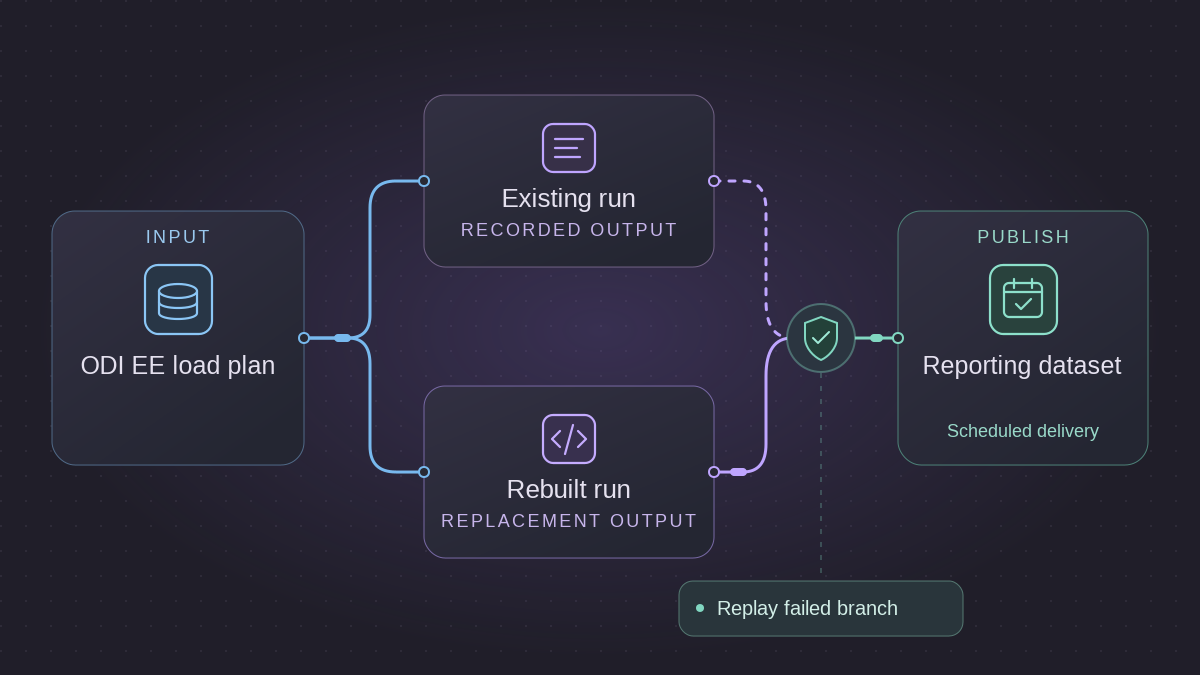
Keep the reporting dataset current, with agreed checks across its sources. Your team gets the exceptions that need a source owner’s decision.
Source ready · Totals reconciled
Recover the selected load
Follow agreed recovery steps and recheck source totals and target data before reporting resumes.
Source totals checked
Check across application boundaries
Verify that records match between systems and the delivered totals agree with their sources.
Plan for busier runs
Size the selected reporting load for its agreed volume and delivery window.
Explore differences between source applications and chart the maintained reporting data. Approved teams get useful answers within their access rules.
Ask a question and explore the data behind the answer.
Choose where your data work runs and who can see or change it.
Runs where you need it
Team spaces
Access you control
Your systems
Run in the cloud or on your own systems.
Your team
Set access for each team and approve changes before they go live.
Our support
Get help with questions, changes, and problems as your needs evolve.
Which reporting dataset is waiting on several teams? Share its ODI Enterprise Edition load if known, the source owners, and what must stay. We’ll scope the rebuild and ongoing operation.