How to migrate an AWS Data Pipeline scheduled export
TLDR
Move one AWS Data Pipeline export by preserving its business date, input readiness checks, and delivery contract. Use AI to draft the replacement, then prove replay and cutover against the original job.
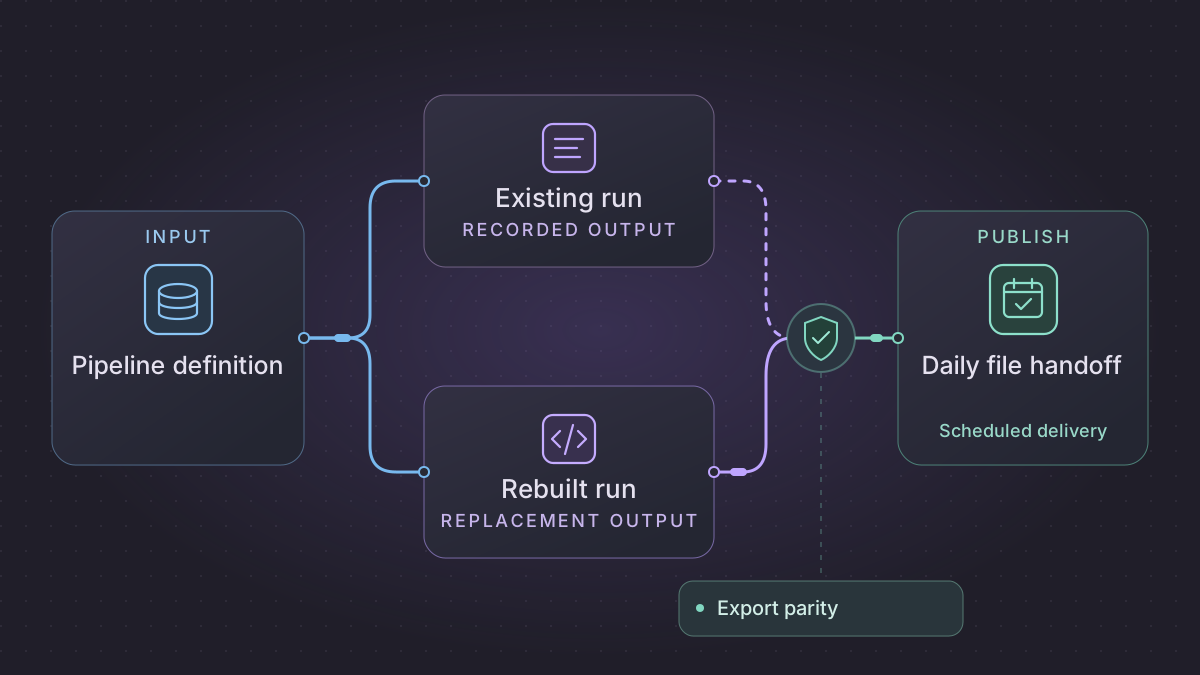
To migrate an AWS Data Pipeline job, start with one completed export your consumers can recognize. Capture the active pipeline definition, then trace the schedule, readiness checks, compute, and file delivery behind it. Rebuild the export as a Python or SQL job with an explicit processing date, run it alongside the original, and switch delivery after the files match.
When is an empty AWS Data Pipeline export safe to publish?
An export has no rows. Check the resolved scheduled interval and pinned input version to distinguish an approved, complete empty source from a missing marker, failed read or invalid file.
Recovery. Publish one header-only export if the source verifies and the empty-day contract permits it. Wait for a missing marker or investigate an unreadable or invalid file while keeping the current delivery pointer.
Cutover check. Compare ordered IDs and amounts for the same business date, CSV bytes when required, and the delivery pointer. Before cutover, verify that the same source version gets one pointer even if the publisher loses the commit response.
Translate one scheduled export all the way to its delivery pointer
Suppose a synthetic legacy timeseries activity exported paid orders as an ordered CSV after the prior UTC day closed. Capture the old resolved instance for the selected day. In ShellCommandActivity specifically inspect stage, input/output data nodes, command or script URI, script arguments and execution resource. A shell script may read from its assigned staging directory instead of directly from S3, so confirm the actual bytes and filenames in the run. ShellCommandActivity staging behavior
| Legacy artifact | Replacement contract |
|---|---|
| Schedule and resolved activity instance | One immutable UTC interval [window_start, window_end), the owner-approved business date, and the recorded planned time. Distinguish a day that ran late from the next day's run. |
| S3 input and precondition | Source bucket/key plus immutable version or stored hash. Wait for the producer marker, then verify the marked payload. Authorization failure is an operational fault. Missing marker remains pending until its deadline. |
| Command, script and effective parameters | A versioned Python/SQL job taking date, source URI/version and output profile. Reproduce status filter, stable order, integer/decimal representation, delimiter, quoting and line endings. |
| Output data node and successor | Publish a small pointer containing feed, business_date, generation, payload_uri, sha256, row_count, amount_minor. The downstream reader opens the payload named by this pointer. |
| Timeout and notification paths | Retry temporary reads and writes with the same interval and immutable source identity. Hold a new generation for an owner's correction decision. |
Execute the slice with a closed interval
Use a source staging table that includes UTC event timestamp, stable order ID, status and integer amount. If legacy input is a daily file with no timestamps, validate its partition date and read it as the complete window, instead of dropping rows based on missing timestamps. For a timestamped SQL extract the implementation is:
SELECT order_id, amount_minor
FROM order_stage
WHERE event_time_utc >= :window_start
  AND event_time_utc < :window_end
  AND payment_state = 'paid'
ORDER BY order_id;
For the January 7 fixture in the runbook, set A1 at midnight at the start, A2 at 23:59:59, A3 to cancelled, and add A4 paid at exactly midnight at the end. Expect order_id,amount_minor, then A1,125 and A2,350 in the output. A4 belongs to the January 8 window. Move the actual launch three hours later and rerun using the same declared boundaries. Neither membership nor output bytes should change.
Make publication recoverable
Keep an immutable payload under a generation-scoped key. After writing it, hash the output and check count, sum and required fields. Use a database unique key on (feed, business_date) or an S3 conditional create for the pointer. If the create loses its response, read the pointer and compare its generation and hash. An existing match is completion. A different hash is a conflict and keeps the existing publication intact. If the consumer needs an approved corrected export, use a versioned generation and an atomic compare-and-set on the old pointer where supported. S3 conditional writes and conflict handling
Schedule work by business date with a per-date claim. During shadow operation use a different prefix and suppress downstream triggers. Test an empty-ready file, an authorization error and a file with the wrong hash. A healthy zero should publish a header-only report if the contract permits it, while the other two leave the pointer unchanged. At handoff assign each outstanding business date to exactly one writer. Rollback restores the old writer only for an uncommitted date or for an explicitly approved correction.
Implementation runbook
Capture the actual definition and runtime instances
Use the AWS account/region that owned the export. Run with a scoped read-only identity, save privately, and share only sanitized examples. The correct API-specific switch is --pipeline-version active. The CLI's --version flag prints client version.
aws datapipeline get-pipeline-definition --pipeline-id "$PIPELINE_ID" \
  --pipeline-version active --region "$REGION" --output json > pipeline-active.json
aws datapipeline query-objects --pipeline-id "$PIPELINE_ID" --sphere INSTANCE \
  --region "$REGION" --max-items 30 --output json > pipeline-instance-ids.json
# Choose a relevant ID from .ids after checking the date in the console.
aws datapipeline describe-objects --pipeline-id "$PIPELINE_ID" \
  --object-ids "$INSTANCE_ID" --region "$REGION" --output json > pipeline-instance.json
Use --sphere ATTEMPT for the failure history, or retrieve a recent accepted and a retried instance from the console and capture exact paths plus logs. The CLI query is bounded for discovery and the first results may be older or unrelated. Resolve parent/default inherited fields, references, activation parameter values, object expressions, and attached scripts. For example a definition's #{format(@scheduledStartTime,'YYYY-MM-dd')} is calculated at the logical time. A job retry at 02:10 still has the original scheduled value. Save the actual command, argument vector, working directory, input/output paths, temporary resource or on-premises runner, network dependencies, and action recipients. Only use the version seen in the relevant run to infer behavior. Definition CLI · Query instances · Describe objects · Components, instances and attempts
Convert the timing and prerequisites explicitly
List the schedule's period, startDateTime or startAt, endDateTime, type, and the input partition formula. A cron schedule starts work at the beginning of the interval. A timeseries schedule starts it at the end. Capture the observed interval separately from actual launch. Set new automation to pass an immutable window_start_utc and window_end_utc derived from the schedule. Compute local business dates with an explicit business timezone. Register historical intervals on purpose, since a past legacy schedule start may create a backfill. Translate S3KeyExists, script-driven preconditions, predecessor success, timeouts, and notification policy to explicit states such as WAITING_FOR_INPUT, READY, QUARANTINED, PUBLISHED. Treat a readiness marker's existence as weaker than verified file version/size/schema and ensure the source actually finished writing. Schedule · Activity parameters · S3KeyExists
Ship the same CSV with a recoverable publish step
- Store one work item per date with source path and immutable version or content hash, schema version, and deadline. If the expected marker has yet to appear, wait/recheck without marking the date failed. An authenticated read failure and a present empty source must each yield their own status.
- Run the old SQL in a read-only or snapshot environment, review target dialect changes for NULL, timezone, collation and decimal rounding, and execute the replacement with explicit window arguments. Sort output by the consumer's actual key and set header, encoding, delimiter, quoting and line endings on purpose. Record row/amount/reject controls before delivery.
- Write
staging/date=YYYY-MM-DD/batch_id=.../with the CSV and its hash manifest. Acquire an atomic publish claim per feed/date (database unique constraint or object conditional write). Make the last operation a reader-visible manifest pointer to the validated staged artifact. Keep prior pointers for corrections. S3 keys cannot be renamed atomically across keys. In S3 use a conditional write for a new manifest key or a coordinated conditional update for an approved correction. S3 conditional writes - Reconcile a timeout after publishing by reading the pointer and comparing the batch ID and hash before retrying. Record the last delivered date and keep shadow prefix isolated. Page the owner when an input misses its deadline or validation fails, with date, expected source version, and actionable disposition.
Worked handoff test
The old timeseries daily export has logical interval 2026-01-07T00:00Z–2026-01-08T00:00Z and launched after midnight. A retry at 02:10 must keep partition 2026-01-07. Expected paid rows A1=125 and A2=350 cents, 475 total. Cancelled A3=500 is an explicit filter. Missing marker: waiting, no manifest. Present empty with an approved empty-day rule: header-only plus a zero-row manifest. Drop the process after storing the CSV but before the manifest, then retry the same input version. Expect one pointer with the two ordered rows. Drop the client response after commit and verify retry reads the existing pointer. Compare row IDs and old/new bytes or normalized records on the last old date, one failed/retried date, and one empty date. Assign exactly one publisher to the boundary date and roll back only uncommitted dates or an explicitly versioned correction.
AI prompt with artifacts
Using pipeline-active.json, a sanitized instance and attempt, and the SQL/script references, resolve Default and parent fields and produce a table of object ID, scheduled and observed start, business date formula, input version, wait rule, failure path, output key and checksum. Cite the artifact or script line for each cell. Generate a stage-only export with missing marker, empty, retry-at-different-clock-time and lost-publish-response fixtures. Flag every inferred expression and give a read-only verification command.
Try a daily export fixture
Run this with Python 3. It models a duplicate-free snapshot of paid transactions with integer cents. For this fixture the export is ordered by ID and cancelled rows are omitted.
rows = [("A2", "paid", 350), ("A3", "cancelled", 500), ("A1", "paid", 125)]
out = sorted((key, cents) for key, status, cents in rows if status == "paid")
assert out == [("A1", 125), ("A2", 350)]
assert sum(cents for _, cents in out) == 475
In your scheduler test, send the same business date twice. Expect the same two output rows and one published manifest. Remove the required input and confirm no final file appears. Repeat with a present empty input to test the separate empty-day rule.
Copy these prompts into your AI assistant
Read this sanitized AWS Data Pipeline definition and attached scripts. Return a table of activities, prerequisites, compute, input partition, outputs, and retry settings. Cite object IDs and file lines. List any dynamic values I need to resolve from a run log.
Draft a Python command that accepts an explicit business date, writes only to staging, and compares an output manifest against this contract. Include tests for late arrival, empty input, duplicate invocation, and a crash after staging. Leave publishing behind a separate approval step.
Schedule, compare, and switch delivery
Use a scheduler that can pass the intended date to each run. Acquire a lock by date, cap retries with backoff for transient reads, and require owner review for failed validation. Record missing input and the latest successful date in a run log. A scheduled AI task can summarize the log and link to differences for the owner.
Shadow the original using read-only sources and an isolated destination. Compare a normal day, an empty day, and a retried day. Agree a last old date and first new date. Pause the old schedule at that boundary and check the first new delivery with its consumer. If acceptance fails, pause the replacement and resume from the earliest unpublished date, using the manifest to prevent duplicate delivery.
References
- AWS CLI get-pipeline-definition
- AWS Data Pipeline schedule objects
- AWS Data Pipeline preconditions and retries
Need help with the migration?
Explore AWS Data Pipeline migration services or browse all DIY migration guides.